
Find the value
Scan numbers, text and byte patterns. Narrow the results as values increase, decrease or change.
 ASAKURO
In development
ASAKURO
In development
Native memory workbench
Look beneath
the game.
Find changing values. Follow pointer paths.
Take control of your own game experiments.
Windows 10 / 11 · x64 & x86 · Native desktop
The engine
Trace it from the first scan to a saved address. A focused Windows workspace for exploring your own games and test programs.
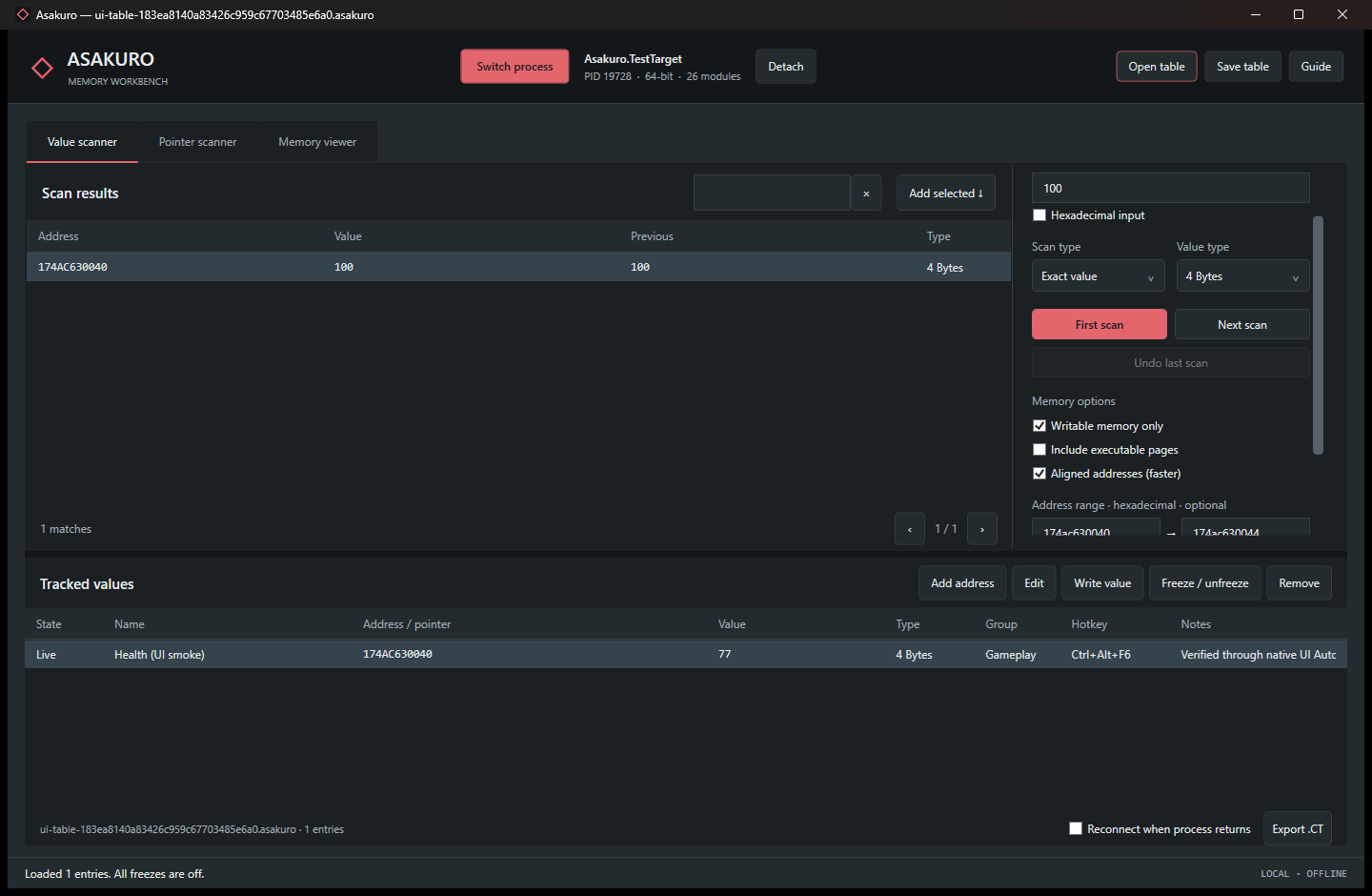
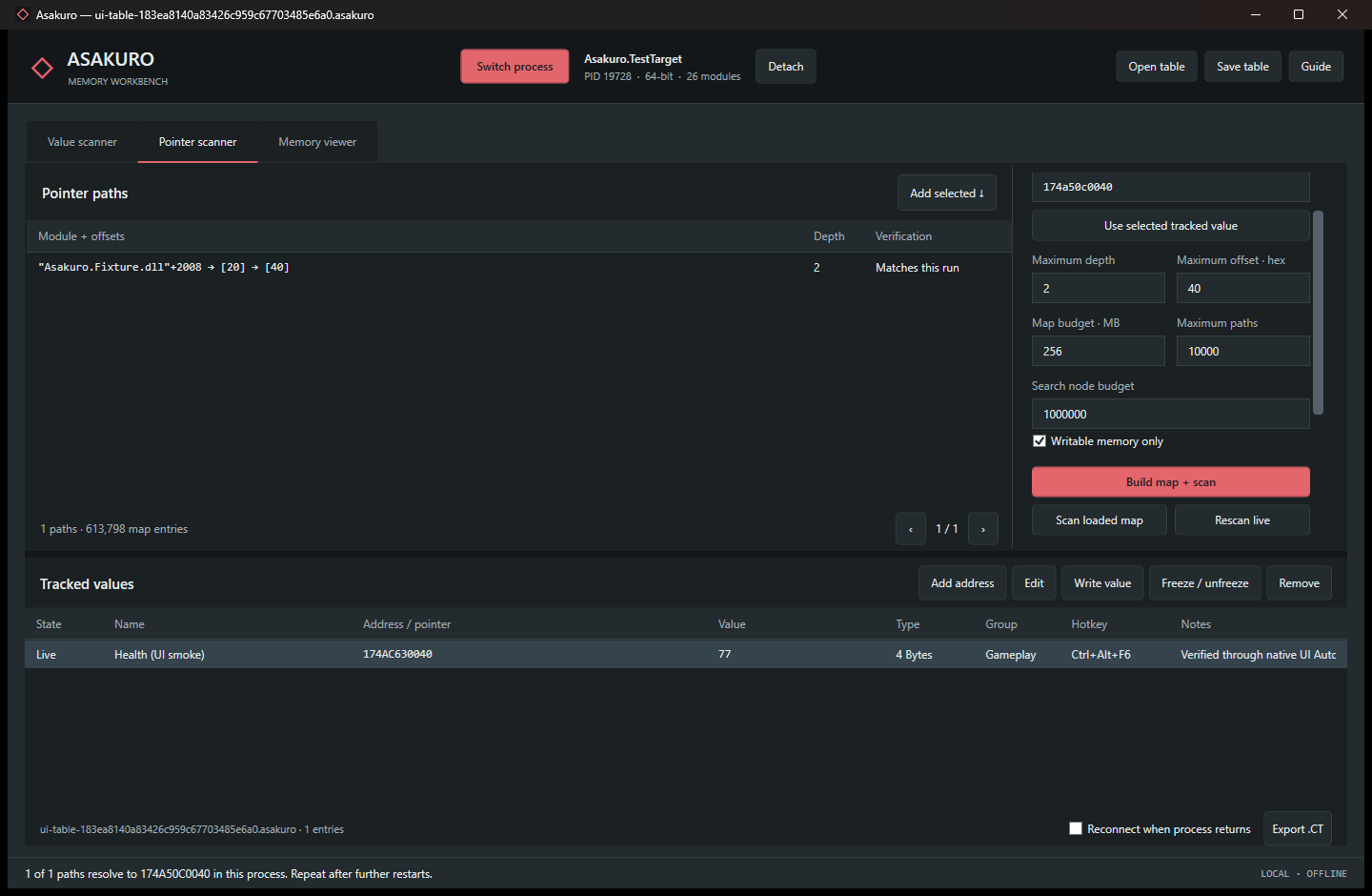
Scan numbers, text and byte patterns. Narrow the results as values increase, decrease or change.
Name and save addresses. Organize tables, assign hotkeys, and confirm edits or freezes before they run.
Build pointer maps, explore module-relative paths and rescan after a restart to filter the candidates.
Memory viewer · Basic .CT table import / export · Dedicated test target
Get a feel for it
A memory scan starts with what you can see. Change the value, scan again, and watch the possible addresses fall away.
An interactive browser illustration.
No access to your games or processes.
30 / 30
Run your first scan to see matching addresses.
Ready. Start with a first scan.
What's next
The core comes first. AI assistance and integrated IL2CPP analysis are the next chapters.
Value scanning, saved tables, confirmed memory edits and pointer workflows. A dedicated test program to practice the complete loop.
Foundation implementedBring your own API key and choose a model. Get help narrowing values and investigating pointers, with your confirmation at each action.
You stay in controlIntegrated analysis for Unity IL2CPP projects. Connect game structures with the values you find, without fetching extra tools at runtime.
Part of the long-term visionAsakuro is in active development. Planned features have no announced release date.
A few details
This is a preview of a project in development. A public release is not available yet. You can explore the current features and try the scanning illustration above.
Yes. The desktop application uses C# and WPF, with portable x64 and x86 builds targeting Windows 10 and 11. The x64 version can work with both 64-bit and 32-bit target processes.
The project includes a dedicated test program with changing health and ammo values, plus relocatable memory for pointer exercises. It is designed for learning the workflow before exploring your own games.
A pointer scan produces candidates. Restart the target and rescan to check which paths still reach the value. Game updates or changing object layouts can invalidate a path.
The current foundation runs locally without an AI API. Guided AI workflows and integrated IL2CPP analysis are planned features, shown in the roadmap.
Stay curious.